The EEOC proposed rescinding the EEO-1 in May 2026, but obligations stay until rulemaking ends and California, Illinois and Massachusetts still require demographic reporting. This guide covers Workday self-ID data, why hourly sites show unknowns, what to fix natively, and how CloudApper hrPad collects voluntary self-ID privately.
TL;DR
The EEOC proposed rescinding federal EEO-1 reporting in May 2026, but the obligation stays until rulemaking finishes, and state reports in California, Illinois and Massachusetts still rely on race, ethnicity and sex data. In Workday, unknowns cluster in hourly sites where workers never see the self-ID step. Run EEO reports by site early, add self-ID to every hire path, map legacy values and document observer identification. CloudApper hrPad then offers the voluntary form privately at a kiosk and writes answers back to Workday.
Table of Contents
- What Workday Handles Natively
- Where the Unknowns Come From
- What to Fix Inside Workday First
- Where Native Collection Stops
Federal uncertainty does not change the core Workday EEO-1 report problem: frontline self-identification data is missing, and every demographic report depends on it. In May 2026 the EEOC proposed rescinding the federal EEO-1 framework, but Jackson Lewis notes the reporting obligation stays in force until rulemaking finishes. California, Illinois and Massachusetts still require demographic reporting either way.

The data has to come from somewhere, and for hourly workforces that is where Workday reports fill up with blanks. CloudApper works alongside Workday at exactly that point, where the data is supposed to be collected.
What Workday Handles Natively
Workday stores race and ethnicity, sex, veteran status and disability as self-identified worker data, and employees can update them through personal information self-service. Onboarding can include a voluntary self-identification step, and Workday’s delivered EEO reporting groups workers by job category, location and demographic fields. When a worker declines, the record shows that choice. The EEO-1 instructions name self-identification as the preferred method and allow employment records or observer identification when an employee declines.
Where the Unknowns Come From
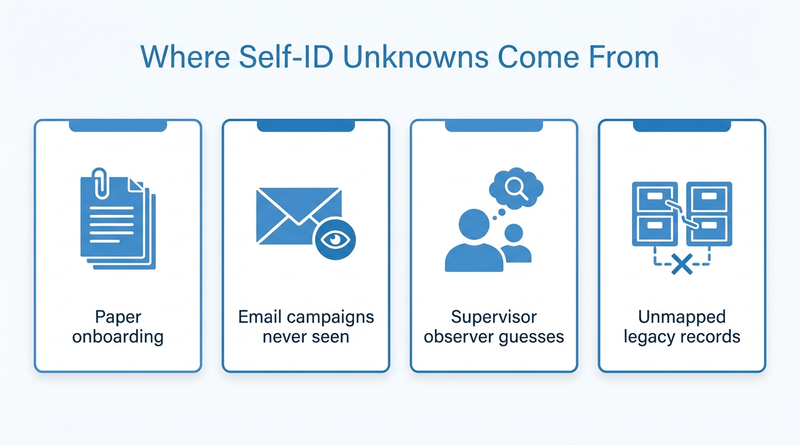
Gaps cluster in hourly populations. New hires onboarded on paper or through a supervisor’s login never see the self-ID step, which is why onboarding tasks stall for frontline new hires. Annual refresh campaigns go out by email, and Workday notifications rarely reach frontline employees. The fallback, asking a supervisor to record observer identification, is error-prone and uncomfortable for everyone involved. Acquisitions and multi-entity configurations add legacy records loaded with blank or unmapped values.
What to Fix Inside Workday First
- Run your EEO report by location and job category now, not in the filing month, and rank sites by percentage unknown.
- Add the self-ID step to the hire business process for every population, including paper and supervisor-assisted onboarding.
- Map legacy values from acquired entities to current categories before the next reporting cycle.
- Document when observer identification is used and who records it, so the method holds up in an audit of your Workday data.
Where Native Collection Stops
Every native fix assumes the worker opens Workday on a private screen. Hourly workers on shared devices rarely do, and a voluntary question about race or disability asked on a supervisor’s laptop is not voluntary in practice. This is the gap CloudApper closes, by putting the request somewhere private that the worker already visits.
How CloudApper hrPad Collects Self-ID Data
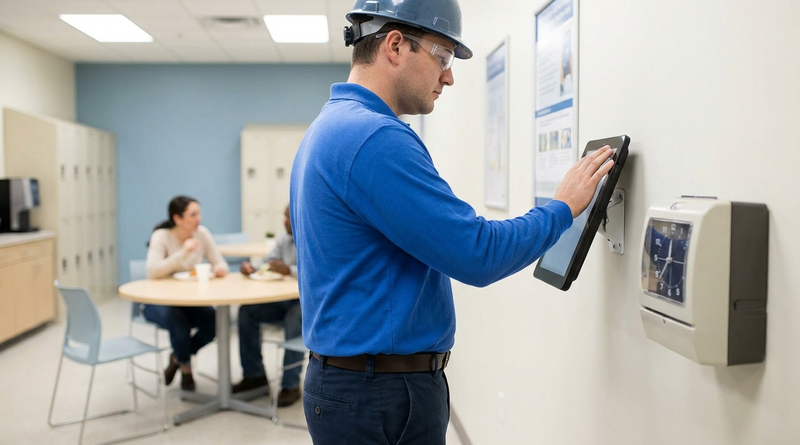
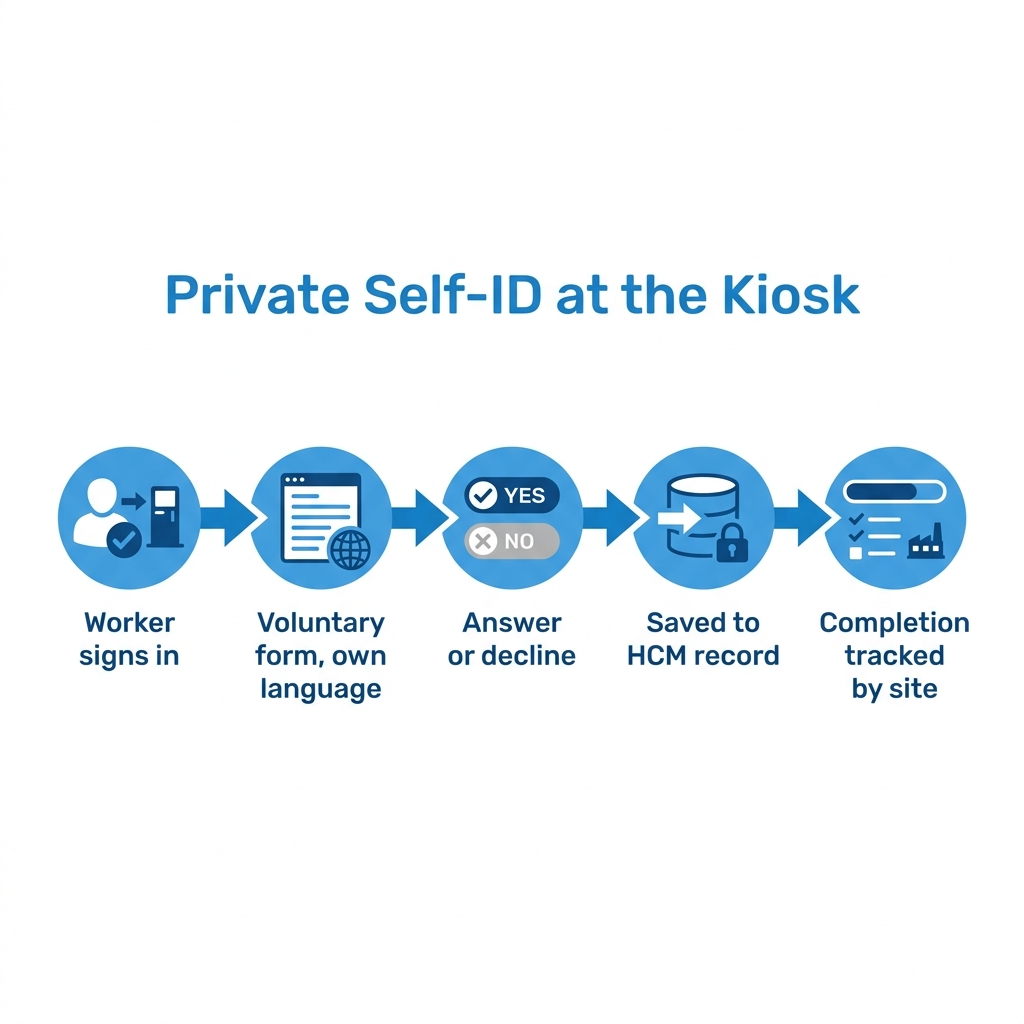
CloudApper hrPad for Workday is a tablet kiosk at the time clock or break room. After a worker signs in, hrPad can show the voluntary self-identification form with the EEOC’s statement that answering is optional, in the worker’s language and on a screen nobody else sees. Answers, including a decision to decline, write back to the worker’s Workday record. HR tracks completion by site instead of chasing supervisors, using the same kiosk approach as compliance training tracking for frontline workers.
Frequently Asked Questions
Q: Is the EEO-1 report still required?
The EEOC proposed rescinding EEO-1 reporting in May 2026, but obligations stay in force until rulemaking is complete. Watch for EEOC filing announcements.
Q: Does Workday have an EEO-1 report?
Yes. Workday includes EEO reporting built on self-identified worker data, job categories and locations.
Q: Why does my Workday EEO report show unknown race or ethnicity?
Usually because workers never saw the self-ID step or declined it. The gaps tend to cluster in hourly and acquired populations.
Q: What can employers do if an employee declines to self-identify?
The EEO-1 instructions allow employment records or observer identification when an employee declines. Document who records it and when.
Q: Which states require demographic workforce reporting?
California, Illinois and Massachusetts have demographic or pay data reporting obligations that use race, ethnicity and sex categories.
Q: Is employee self-identification voluntary?
Yes. Employees can decline, and refusing cannot lead to adverse treatment.
Q: How do hourly workers update self-ID data in Workday?
Through personal information self-service, or a shared kiosk that writes answers back to Workday.
If your EEO report still shows whole sites as unknown, talk to the CloudApper team about collecting self-ID data where hourly workers already are, alongside Workday.

What is CloudApper AI Platform?
CloudApper AI is an advanced platform that enables organizations to integrate AI into their existing enterprise systems effortlessly, without the need for technical expertise, costly development, or upgrading the underlying infrastructure. By transforming legacy systems into AI-capable solutions, CloudApper allows companies to harness the power of Generative AI quickly and efficiently. This approach has been successfully implemented with leading systems like UKG, Workday, Oracle, Paradox, Amazon AWS Bedrock and can be applied across various industries, helping businesses enhance productivity, automate processes, and gain deeper insights without the usual complexities. With CloudApper AI, you can start experiencing the transformative benefits of AI today. Learn More
- Useful Links:
- Agentic AI
- No-Code/Low-Code
- Custom Software
- HCM Personalization
- iPaaS
- FedRAMP

Brochure
CloudApper AI TimeClock
For accurate & touchless time capture experience.
Download Brochure
CloudApper AI Solutions for Workday



- Works with








- and more.
Similar Posts

How to Rehire in Workday: Service Dates, I-9 and ACA…

The Workday Mobile App and Off-the-Clock Work: Which Hourly Tasks…