Most frontline self-service pilots succeed at the wrong site. Learn how to choose a pilot and control site, build a baseline from Workday User Activity and Usage Metrics, structure a 60-day readout finance will accept, and run the pilot on tablets with CloudApper hrPad.

TL;DR
Frontline self-service pilots usually succeed because teams pick the most engaged site, so the results do not predict the rollout. A useful Workday pilot pairs a typical site with a control, exports User Activity weekly for a 30-day baseline because Workday keeps only 30 days, logs HR walk-ups by topic, and tracks one business event over 60 days. Workday can measure access but cannot create it on the floor, which is where CloudApper hrPad turns existing tablets into face-verified Workday self-service kiosks for the pilot.
Table of Contents
- What Workday Gives You to Measure
- Where Pilots Mislead
- How to Structure the 60-Day Pilot
- Where Native Tools Run Out
Most frontline self-service pilots succeed, and that is the problem. Teams pick the plant with the most engaged manager, the newest break room, and a workforce that already uses smartphones, then report strong adoption that never repeats at the next site. A Workday frontline self-service pilot is only useful if it predicts the rollout, which means choosing a hard site and measuring a baseline before the first device goes up. CloudApper builds frontline self-service on top of Workday, and this is the pilot design we recommend because it holds up in front of a CFO.
What Workday Gives You to Measure
Workday already holds most of the baseline. The User Activity data source records who signed in, from which IP address and browser, and which task they opened, once user activity logging is enabled in tenant setup. The Workday Usage Metrics reports add monthly counts of sign-in sessions and business activity. Together they show how many hourly workers at a site touch Workday at all.
Where Pilots Mislead
User activity is kept for only 30 days, so a baseline that is not exported weekly disappears before the readout. Usage metrics are tenant-wide monthly figures, which hide one site inside the total. The bigger failure is design: a pilot site chosen for enthusiasm, a single success metric such as sign-ins, and no record of the work that self-service is supposed to replace, like walk-up questions about pay stubs and PTO balances.
How to Structure the 60-Day Pilot
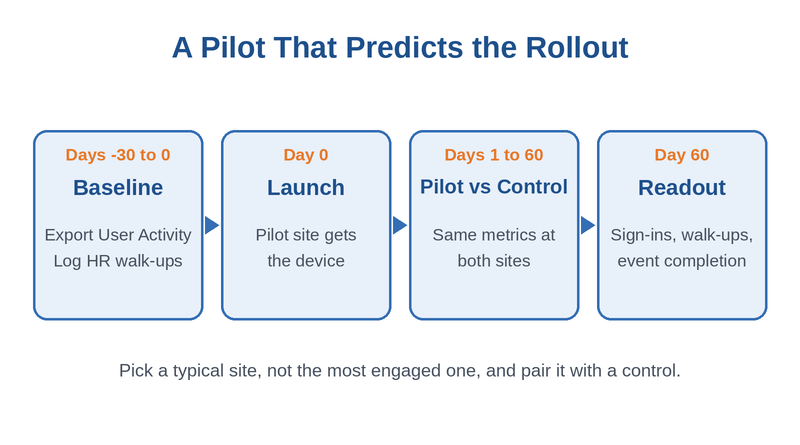
- Pick two comparable sites, one pilot and one control, with similar headcount and shift patterns.
- Export User Activity weekly for 30 days before launch to set the sign-in baseline by site.
- Log HR walk-ups and calls by topic for the same 30 days.
- Choose one business event to track, such as open enrollment completion or onboarding task completion.
- Run 60 days, then compare pilot and control on all three measures.
Agree on the readout format with finance before launch, so the result feeds directly into a Workday ROI review.
Where Native Tools Run Out
Workday can measure frontline access, but it cannot create it. If the pilot site has no shared device and workers will not use personal phones for work, the only change you can test is better communication, which rarely moves sign-ins. Testing real access requires putting a device on the floor, and that is where CloudApper hrPad enters the pilot.
Running the Pilot with CloudApper hrPad
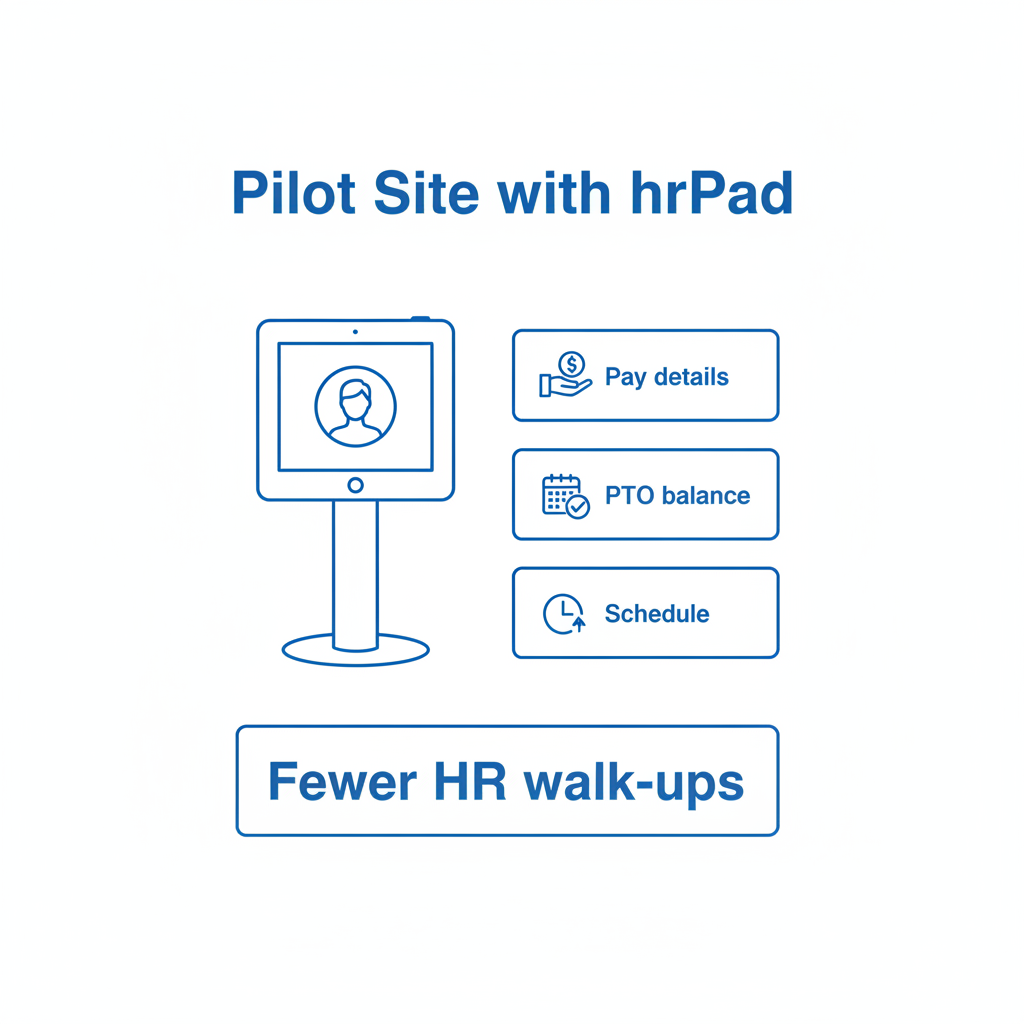
CloudApper hrPad turns an iOS, Android, or Windows tablet into a Workday self-service kiosk, so a pilot needs hardware the site may already own. Workers authenticate with face recognition and see their own pay details, PTO balances, and schedules from Workday, which lines up with the walk-up topics in your baseline. Review the shared-device controls in our Workday kiosk security guide before launch.
Frequently Asked Questions
Q: How long should a Workday self-service pilot run?

Sixty days covers several weekly or biweekly pay cycles, which is enough to see repeat use rather than first-week curiosity.
Q: How do I measure Workday adoption for frontline workers?
Enable user activity logging and report on the User Activity data source by site. Export it weekly, because Workday keeps only 30 days of activity.
Q: Which site should host a Workday self-service pilot?
Choose a typical site, not the most engaged one, and pair it with a comparable control site so the result predicts the rollout.
Q: What metrics prove a frontline self-service pilot worked?
Compare sign-ins per worker, HR walk-ups by topic, and completion of one business event such as open enrollment between the pilot and control sites.
Q: Do frontline workers need a Workday login for a kiosk pilot?
It depends on the device model. A browser kiosk needs credentials, while a face-verified tablet kiosk identifies workers without a typed password.
If you are planning a frontline self-service pilot, talk to the CloudApper team about site selection, baseline data, and the readout your finance team will expect.

What is CloudApper AI Platform?
CloudApper AI is an advanced platform that enables organizations to integrate AI into their existing enterprise systems effortlessly, without the need for technical expertise, costly development, or upgrading the underlying infrastructure. By transforming legacy systems into AI-capable solutions, CloudApper allows companies to harness the power of Generative AI quickly and efficiently. This approach has been successfully implemented with leading systems like UKG, Workday, Oracle, Paradox, Amazon AWS Bedrock and can be applied across various industries, helping businesses enhance productivity, automate processes, and gain deeper insights without the usual complexities. With CloudApper AI, you can start experiencing the transformative benefits of AI today. Learn More
- Useful Links:
- Agentic AI
- No-Code/Low-Code
- Custom Software
- HCM Personalization
- iPaaS
- FedRAMP

Brochure
CloudApper AI TimeClock
For accurate & touchless time capture experience.
Download Brochure
CloudApper AI Solutions for Workday



- Works with








- and more.
Similar Posts

Workday Biometric Time Clock Compliance: Consent, Retention, and Deletion Rules…

Workday Kiosk Security: Protecting Pay Slips and PII on Shared…