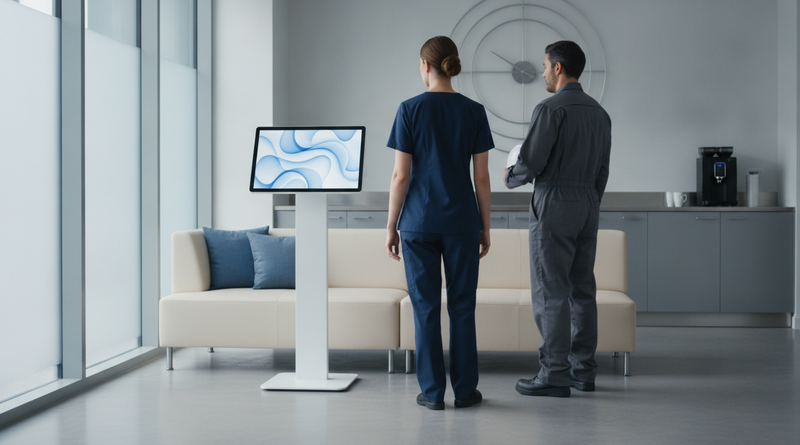
Frontline employees shouldn't need a computer or a Workday login to check their PTO balance. CloudApper AI TimeClock turns any iPad or Android tablet into a shared Workday time kiosk — giving every employee instant access to PTO balances, time-off requests, and HR self-service at the clock, every shift.
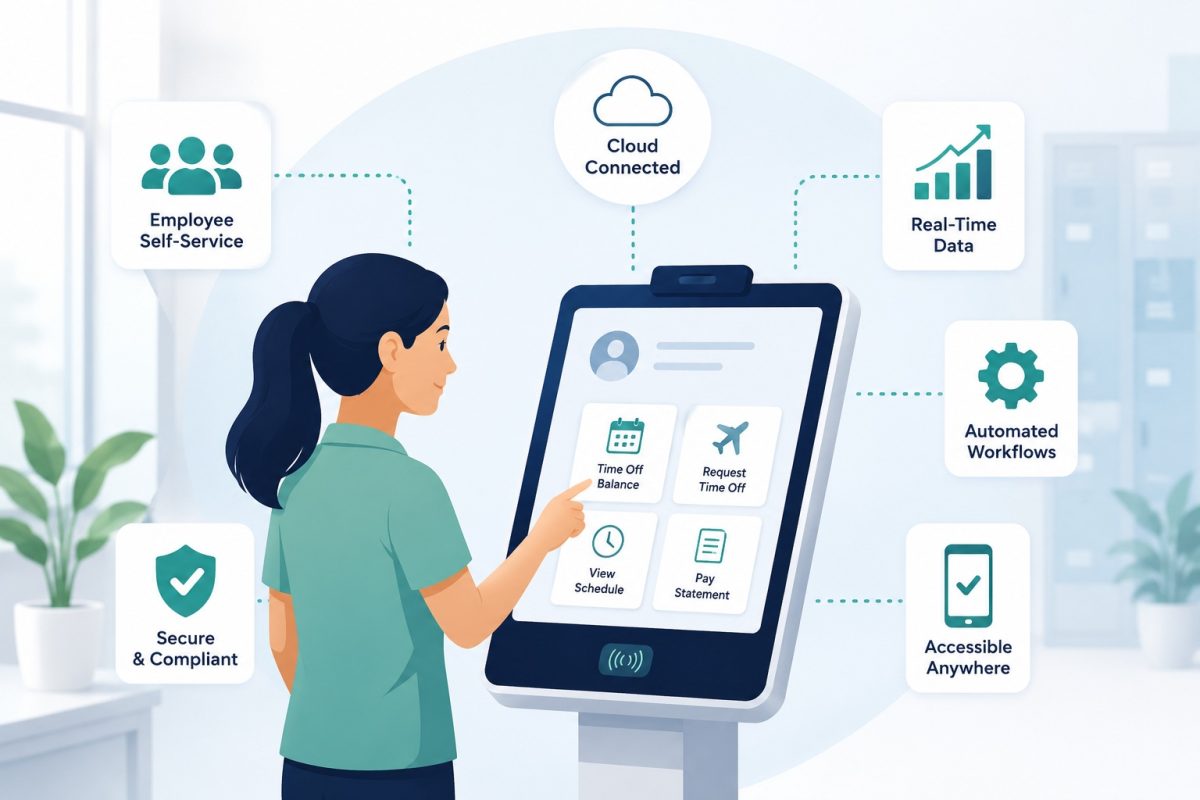
Table of Contents
- How to Check PTO Balance in Workday
- Why PTO Balance Access Is Still a Problem for Many Organizations
- The Risks of Employees Not Having Easy Access to Their PTO Balance
- The Benefits of Making PTO Balances Accessible at the Clock
- CloudApper AI TimeClock: A Modern, Convenient Way to Put PTO Access at Every Station
- Works With Workday — and Every Other Major HR System
- Automate More Than PTO — Streamline Any Workforce Process with CloudApper
- Frequently Asked Questions: PTO Balance Access and Employee Self-Service with CloudApper AI TimeClock
- Give Every Employee Access to Their Own PTO Data
Employees can find their PTO balance on Workday in a few clicks from the Absence area, and for desk-based staff that is the end of it. For frontline, hourly and shift-based workers who rarely log in, the data is there but out of reach, so they ask a manager, email HR or guess, and the guesses turn into time-off conflicts and payroll corrections.

The steps below cover the native path first. After that, we look at how CloudApper AI TimeClock, a kiosk that works alongside Workday, puts the same balance in front of every employee at the station they already stop at each shift, with no login to remember.
How to Check PTO Balance in Workday
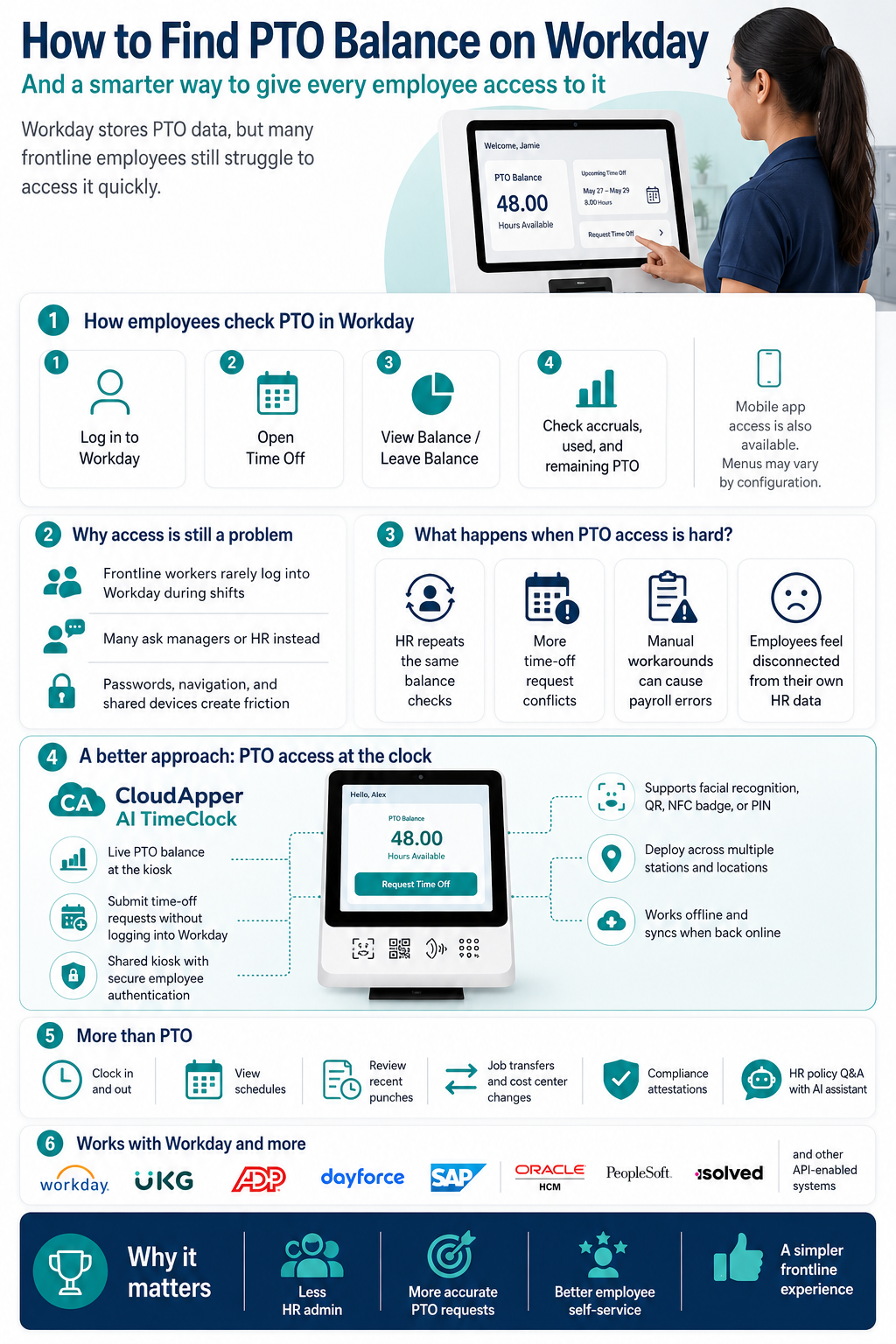
Workday provides employees with full visibility into their time-off accruals and balances through the employee self-service portal. Here’s how to access it:
From the Workday Home Screen
- Log in to Workday using your organization’s credentials
- From the home screen, click on the Time Off worklet (the icon may vary depending on your organization’s Workday configuration)
- Select Time Off Balance or Leave Balance from the available options
- Your current PTO balance, accruals, and any pending requests will display
From the Time Off Dashboard
- Navigate to Menu and search for “Time Off”
- Select Time Off from the search results
- Click on Balance or Check Balance in the left navigation
- Review your accrued, used, and remaining balances by leave type (PTO, sick, vacation, etc.)
From a Mobile Device
Workday’s mobile app gives employees the same access from their phone:
- Open the Workday mobile app
- Tap the Time Off option from the home menu
- Select Balance to view current accruals
Notes on Workday Configuration
Every organization configures Workday differently. The exact menu labels, worklet names, and navigation paths may look different at your company. If you don’t see a Time Off worklet on your home screen, check with your HR administrator — they can add it to your home dashboard or grant the appropriate access permissions.
Why PTO Balance Access Is Still a Problem for Many Organizations
Workday’s self-service tools are well-built. For employees who use Workday regularly, checking a PTO balance is quick and routine.
The gap exists for everyone else.
Think about the distribution of a typical workforce. A significant share of employees — in manufacturing, retail, logistics, healthcare, hospitality, construction — don’t interact with Workday on a daily basis. They don’t have it bookmarked. They haven’t memorized their login. Their job doesn’t involve a computer.
When those employees need to know their PTO balance, the path looks like this: remember the login URL, find their credentials, log in (or reset a forgotten password), navigate to the right worklet, find the right balance type, and then log back out. On a shared break room computer, on a phone with limited data, between shifts.
Most of them skip it and ask HR instead.
That’s not a failure of Workday. It’s an accessibility gap — and it’s one that a well-placed kiosk can close entirely.
The Risks of Employees Not Having Easy Access to Their PTO Balance
When PTO balance information isn’t genuinely accessible to the employees who need it most, the downstream effects are predictable:
HR fielding the same questions repeatedly: “How much PTO do I have left?” is the most common HR inquiry at most organizations with hourly workforces. Each one takes a few minutes. Across hundreds of employees asking the same question weekly, that adds up to meaningful HR capacity consumed by something that should be self-service.
Time-off request conflicts: Employees who don’t know their balance submit requests without realizing they don’t have enough accrual. HR has to reject, correct, or manually adjust. The employee is frustrated. The manager is caught in the middle.
Payroll errors from manual workarounds: When employees can’t check their own balance, they sometimes estimate — and those estimates feed into verbal requests to managers, who pass them to HR, who key them into Workday manually. Each manual step is a chance for an error to enter the payroll record.
Disengagement: Employees who feel disconnected from their own HR data — who can’t see their accruals, confirm their schedule, or check the status of a request without going through a third party — feel less connected to the organization. It’s a small thing, but it compounds over time.
The Benefits of Making PTO Balances Accessible at the Clock
The most effective fix isn’t training employees to use Workday better. It’s putting the information where employees already are.
Employees stop at the time clock every shift — twice. That’s an existing touchpoint, happening dozens of times a week per employee, that currently does one thing: record a punch. Turning that terminal into a full self-service station changes the math entirely.
When employees can check their PTO balance, submit a time-off request, and review their schedule in the same 30 seconds they’re already spending at the clock, the behavior change required is zero. The information is just there, at the moment they need it, in a format that requires no login and no navigation.
The benefits are concrete:
- HR spends less time answering routine balance inquiries
- Time-off requests come in with accurate balance awareness, reducing conflicts
- Employees feel more informed and in control of their own data
- Managers spend less time as the middleman between employees and HR
- The data flowing into Workday is more accurate because employees are acting on real numbers
CloudApper AI TimeClock: A Modern, Convenient Way to Put PTO Access at Every Station
CloudApper AI TimeClock is an iPad and Android tablet-based time clock and employee self-service kiosk that integrates directly with Workday — and makes PTO balance access, time-off requests, and a full range of HR self-service functions available to every employee, at every station, with no login required.
It’s not a replacement for Workday. It’s a more accessible front door to the same data — designed specifically for the employees who interact with their workplace through a shared terminal rather than a personal computer.
PTO Balance Checks at the Clock
Employees see their current PTO and accrual balances the moment they authenticate at the kiosk — pulled live from Workday in real time. No navigation, no menus, no login. They punch in, and if they want to check their balance, it’s one tap away.
Time-Off Requests Without Logging Into Workday
Employees can submit time-off requests directly from the kiosk. The request routes to the appropriate manager for approval through Workday’s standard workflow. Managers can also view and approve time-off requests directly from the CloudApper interface. The employee gets confirmation. HR doesn’t need to be involved at all.
Shared Kiosk, Individual Data
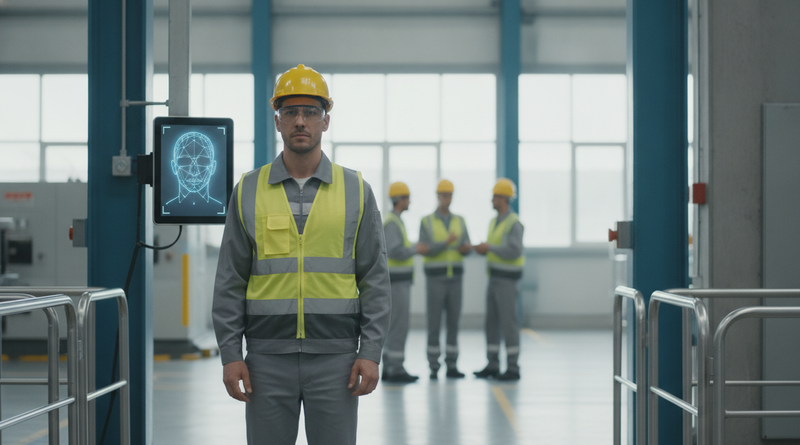
CloudApper AI TimeClock is built for shared use. One tablet can serve an entire department. Each employee authenticates using their preferred method — facial recognition, QR code, NFC badge, or PIN — and accesses only their own data. Personal balances, schedules, and punch history stay private on a device used by dozens of people.
Deployed Across Multiple Stations
A single account supports deployment across as many kiosk stations as needed — multiple entry points, break rooms, production floors, or locations. Every station runs independently, syncs to Workday centrally, and is managed through one admin console. Adding a new station takes minutes.
More Than PTO — Full Employee Self-Service
Beyond balance checks and time-off requests, employees can use the same kiosk to:
- Employee time tracking with clock in and out using touchless facial recognition, QR code, NFC badge, or PIN
- View their upcoming schedule and confirm shift assignments
- Submit job transfer or cost center changes before clocking in
- Review recent punch history and flag discrepancies before payroll closes
- Complete compliance attestations and meal break confirmations at clock-out
- Respond to wellness check-ins and engagement pulse surveys
- Ask HR policy questions through a 24/7 AI assistant trained on your organization’s actual Workday data and HR policies
Works Offline
If the network goes down, the kiosk keeps working. Punches and self-service activity are stored locally and sync to Workday automatically when connectivity returns.
Buddy Punching Prevention
Every authentication is verified — touchless facial recognition confirms the employee is who they say they are before any punch is recorded. QR codes, NFC badges, and geofencing provide additional verification layers for different environments.
Works With Workday — and Every Other Major HR System
CloudApper AI TimeClock connects directly to Workday HCM, Time Tracking, and Absence Management via real-time API. Every punch, PTO request, balance check, job transfer, and compliance attestation syncs automatically. No manual exports. No batch uploads. No reconciliation. For a deeper look at how this works in practice, see how employee leave management through Workday time tracking is handled end-to-end.
And if your organization uses a different system alongside or instead of Workday, CloudApper supports all major HR, HCM, and payroll platforms:
- UKG (Pro, Ready, Dimensions)
- ADP (Workforce Now, Vantage)
- Ceridian Dayforce
- SAP SuccessFactors
- Oracle HCM
- PeopleSoft
- isolved
- Any system with API access
You don’t need to change your payroll provider or renegotiate contracts. CloudApper AI TimeClock adds an intelligent, employee-facing layer on top of what you already have.
Automate More Than PTO — Streamline Any Workforce Process with CloudApper
CloudApper AI TimeClock runs on the CloudApper AI Platform — a no-code enterprise automation engine that organizations use to build and connect AI workflows across HR, operations, compliance, and more. Think of it as the Workday self-service agent your employees actually want to use — available at the clock, not behind a login screen.
Starting with a time clock and PTO self-service kiosk is a natural first step. But the same platform can automate virtually any manual workforce process your organization still runs on spreadsheets, emails, or disconnected systems:
- Recruitment and candidate screening workflows
- HR policy Q&A and document access
- Facility inspections and work order management
- Compliance attestation collection and audit trail management
- Field workforce task management for mobile and distributed teams
One platform. One integration layer. Connected to your existing HR system — and capable of growing with your automation needs over time.
Frequently Asked Questions: PTO Balance Access and Employee Self-Service with CloudApper AI TimeClock
Q: Can employees check their Workday PTO balance from the kiosk without logging into Workday?
Yes. CloudApper AI TimeClock pulls PTO and accrual balance data from Workday in real time and displays it to the authenticated employee at the kiosk. Employees authenticate using facial recognition, QR code, NFC badge, or PIN — no Workday login or credentials required at the terminal.
Q: Does the kiosk show all leave types — vacation, sick, PTO, personal days?
Yes. All leave types configured in your Workday Absence Management module are accessible through the kiosk. Employees can view balances for each leave type separately, matching what they would see if they logged into Workday directly.
Q: Can employees submit a time-off request from the kiosk?
Yes. Employees can submit time-off requests directly from the kiosk, specifying the leave type, dates, and any required notes. The request routes through Workday’s standard manager approval workflow automatically. Employees receive confirmation and can check request status at the kiosk as well.
Q: Can multiple employees use the same kiosk to check their PTO balance?
Yes. The kiosk is designed for shared, multi-user deployment. Each employee authenticates individually, so personal balance data, punch records, and self-service activity remain accurate and private even on a shared device used by many people throughout the day.
Q: Can we deploy PTO-access kiosks across multiple locations or departments?
Yes. CloudApper AI TimeClock supports multi-station, multi-location deployment from a single account. Each kiosk operates independently and syncs to Workday in real time, managed through one central admin console. You can add stations at any location where employees gather — break rooms, production floors, site entrances.
Q: Does the kiosk work on both iPads and Android tablets?
Yes — both iOS and Android are fully supported. Organizations can standardize on one device type or run a mixed fleet. The application, features, and self-service functions are identical across both platforms.
Q: What happens to PTO requests submitted at the kiosk if the network goes down?
Time punches and other kiosk activity captured during a network outage are stored locally and sync to Workday automatically once connectivity is restored. PTO requests require connectivity to submit, since they initiate a workflow in Workday — but the kiosk will notify the employee to try again when the connection returns.
Q: Does CloudApper AI TimeClock work with payroll or HR systems other than Workday?
Yes. CloudApper AI TimeClock integrates with all major HR, HCM, and payroll platforms — including UKG, ADP, Ceridian Dayforce, SAP SuccessFactors, Oracle HCM, PeopleSoft, and isolved. If your system has API access, CloudApper can connect to it without replacing your existing setup.
Q: Can the AI assistant on the kiosk answer employee questions about PTO policies?
Yes. The AI assistant is configured against your organization’s actual HR policies and Workday data. Employees can ask questions like “How much PTO do I accrue per month?” or “Can I carry over unused vacation days?” and receive accurate, immediate answers based on your specific policies — at any hour, without HR involvement.
Q: How quickly can a PTO self-service kiosk be deployed?
Most organizations are fully operational within days to a few weeks. Because the solution runs on standard commercial iPads or Android tablets and connects via API to your existing HR system, there’s no proprietary hardware to procure and no infrastructure buildout required.
Q: Can we customize what self-service options appear on the kiosk for our employees?
Yes. The kiosk interface, available self-service functions, attestation prompts, and visible leave types are all configurable through CloudApper’s no-code platform — tailored to match your organization’s HR policies, Workday configuration, and operational requirements without any custom software development.
Give Every Employee Access to Their Own PTO Data
Workday has the data. The question is how easily your employees can reach it — particularly the ones who aren’t at a computer, who don’t remember their login, who need the answer in 30 seconds between shifts.
CloudApper AI TimeClock puts that access at the terminal employees already use every day. PTO balances, time-off requests, schedule visibility, and full HR self-service — available at every station, on any iPad or Android tablet, synced live to Workday and any other HR or payroll system in your stack.
See CloudApper AI TimeClock for Workday →
Ready to deploy? Contact our team to get a demo tailored to your Workday setup and workforce.
CloudApper AI TimeClock is an iPad and tablet-based employee time tracking and self-service kiosk that integrates with Workday and all major HR, HCM, and payroll systems — including UKG, ADP, Ceridian Dayforce, SAP SuccessFactors, Oracle HCM, PeopleSoft, and isolved. Built on the CloudApper AI Platform, a no-code enterprise automation engine for HR, operations, and compliance workflows.

What is CloudApper AI Platform?
CloudApper AI is an advanced platform that enables organizations to integrate AI into their existing enterprise systems effortlessly, without the need for technical expertise, costly development, or upgrading the underlying infrastructure. By transforming legacy systems into AI-capable solutions, CloudApper allows companies to harness the power of Generative AI quickly and efficiently. This approach has been successfully implemented with leading systems like UKG, Workday, Oracle, Paradox, Amazon AWS Bedrock and can be applied across various industries, helping businesses enhance productivity, automate processes, and gain deeper insights without the usual complexities. With CloudApper AI, you can start experiencing the transformative benefits of AI today. Learn More
- Useful Links:
- Agentic AI
- No-Code/Low-Code
- Custom Software
- HCM Personalization
- iPaaS
- FedRAMP
Brochure
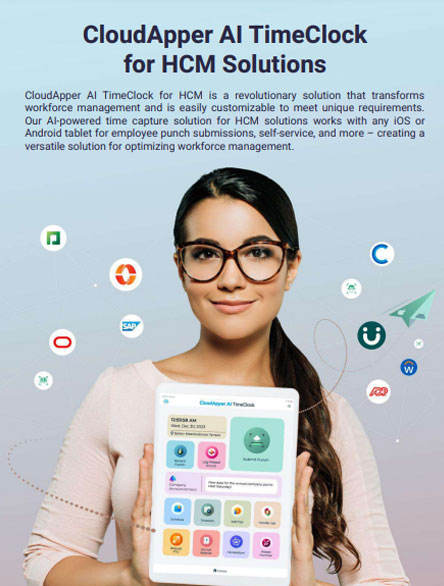
CloudApper AI TimeClock
For accurate & touchless time capture experience.
Download Brochure
CloudApper AI Solutions for Workday



- Works with








- and more.
Similar Posts

How to Pilot Frontline Self-Service for Workday: Site Selection, Baseline…
Workday Biometric Time Clock Compliance: Consent, Retention, and Deletion Rules…