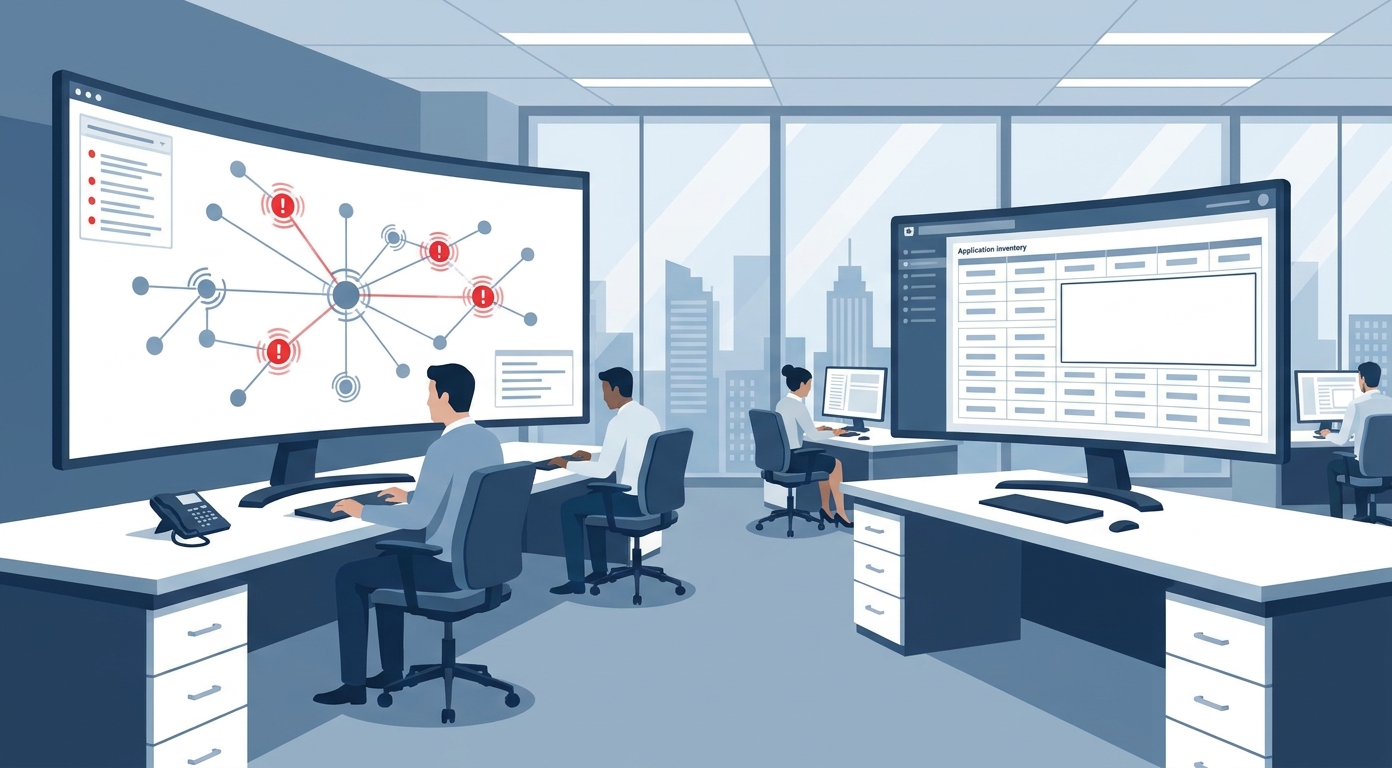
An AI-built app that worked for ten people rarely holds up at 100. These are the six access-control gaps that appear first, from flat admin roles and cosmetic permissions to unscoped records and unreviewed accounts, and what closing each one takes.


TL;DR
- Most AI-built apps ship with one flat level of access, and that holds until roughly 100 employees use them across departments.
- Role checks have to run on the server, because hiding a button does not protect the data behind it.
- Scope records by department, site or reporting line, and pull that structure from your HCM instead of retyping it.
- Tie sign-in and account changes to your directory so leavers and movers lose access the day their status changes.
- Review who holds which role on a schedule, and keep requesters and approvers as different people.
Table of Contents
An AI-built app starts as a prototype for a handful of people who trust each other, so it ships with one level of access. Then it reaches 100 employees across departments, shifts and sites, and the shortcuts that were harmless at ten users turn into access control gaps in your next review.

Your HCM, whether that is Workday, UKG or Oracle, already knows who works where, who reports to whom and when someone leaves, because that is what a system of record is built to hold. The AI-built app knows none of it unless someone connects the two. Below are the six gaps that appear first and what closing each one takes. Teams that would rather not hand-build that access layer for every app tend to put it on a managed platform like CloudApper AI instead.
AI-built app access control gaps: six checks before 100 employees
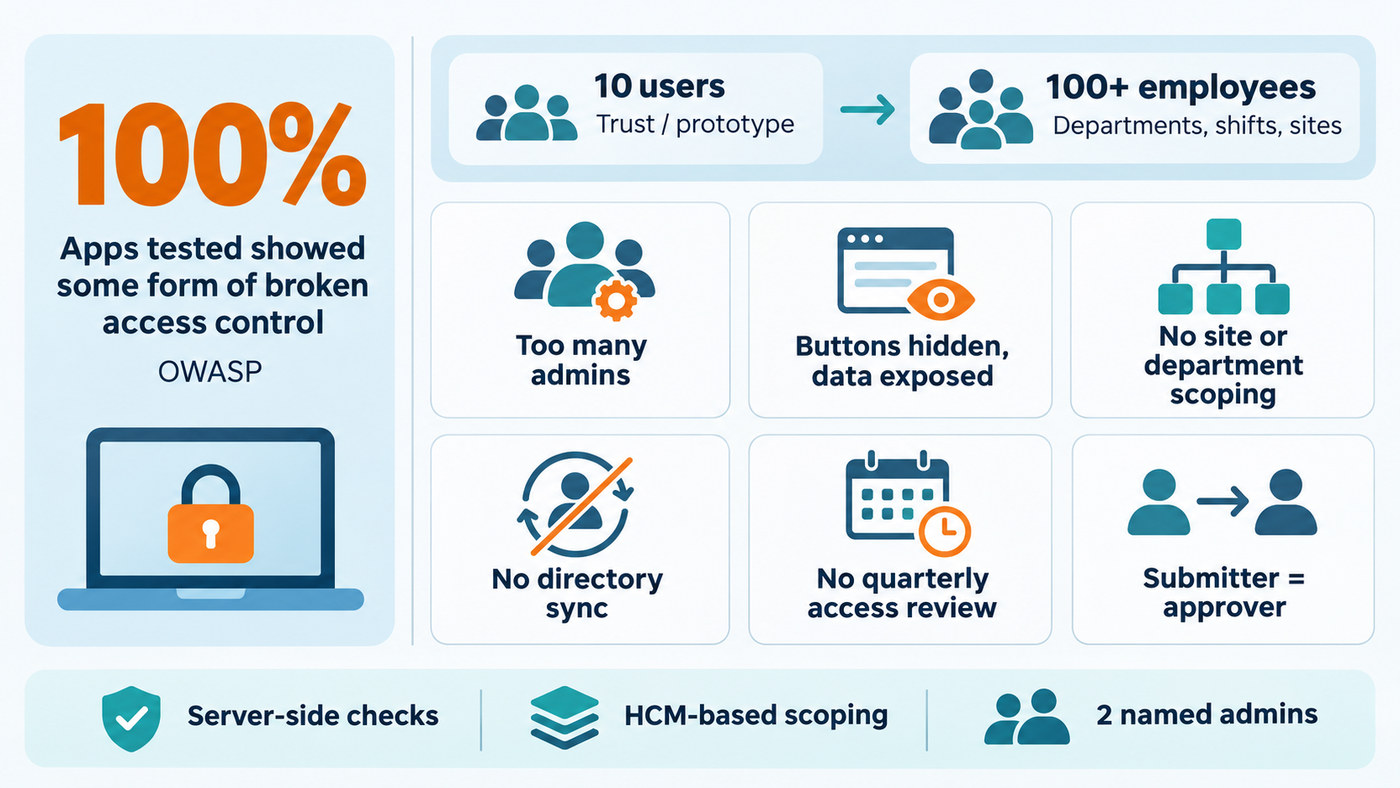
OWASP found that 100% of the applications it tested had some form of broken access control. Treat each gap below as something to test, not something to assume.
1. Everyone is effectively an admin
The builder created one admin role so the app would work, and every early user inherited it. At 100 employees that means a payroll clerk can edit a supervisor’s approvals. Define roles around jobs, such as requester, approver and administrator, and give administrator to two named people instead of a whole department. A flat admin role is the classic over-permissioned setup, and it is far easier to fix before a wider launch than after. Admin rights granted for launch week tend to outlive the launch.
2. Roles hide buttons but not data
Many prototypes hide a menu item and call that security. The request behind it still returns the data if someone knows the address. Enforce every permission on the server, then test it by calling the data directly as a user who should be refused. If the call succeeds, the role is cosmetic. Generated code tends to build what the prompt described, and a prompt about screens produces checks on screens.
3. Nobody scoped records by department or site
A role says what a person can do. It does not say whose records they can do it to. A site manager should see their own site, not all of them. Scope records by department, location or reporting line, and read that structure from your HCM. After a reorganization, an app that copied the old structure keeps showing the wrong people the wrong records. Without scoping, managers either see everything or open tickets asking for access.
4. Accounts do not follow the directory
Prototype users sign up with whatever email they have, so the app cannot tell when someone transfers or leaves. A leaver keeps access until somebody remembers. Connect sign-in to your identity provider and drive joiners, movers and leavers from the HCM, so access follows the employee lifecycle instead of memory. Ask one question of your app: if an employee left this morning, when would it find out?
5. Nobody reviews who can do what
Access that was right in March is wrong by September. People move, projects end and permissions pile up. With no report of who holds which role, the quarterly review turns into a guessing exercise. Build a view that lists every user, role and last sign-in, and review it on a schedule. Record when each role was granted and by whom, so the review has a trail. Auditors will ask for exactly that report.
6. The same person can submit and approve
Shared logins and informal delegation feel efficient until one person raises a request and signs it off. Keep those duties separate in the app, use named delegates instead of shared credentials, and log who approved what. Add a rule that requester and approver can never be the same account, whatever roles that account holds. This is the segregation problem that a clean access review still misses.
Where this leaves your AI-built app
Six gaps decide whether an AI-built app survives its first real review: flat admin access, permissions that hide buttons but not data, records nobody scoped by department or site, accounts that ignore the directory, access nobody reviews, and approvals one person can complete alone. All six are design gaps rather than coding mistakes. Your HCM already holds the people, roles and reporting lines these controls depend on, and the app only needs to inherit them. A managed platform like CloudApper AI supplies that access layer underneath the app, so each new prototype starts with roles, directory sign-in and audit history instead of rebuilding them. If you want to see how that works for the app your team built, you can book a demo.
Frequently asked questions
What is an access-control gap in an AI-built app?
An access-control gap is any case where a user can see or do something their job does not require. In AI-built apps it usually comes from a flat admin role, permissions enforced only in the interface, records that are not scoped by department or site, and accounts that are not tied to the company directory.
Why do access-control problems show up at around 100 employees?
At ten users, everyone knows everyone and informal trust fills the gaps. At 100 users across departments, shifts and sites, people start seeing records that are not theirs, leavers and movers keep old access, and the first access review or audit asks for evidence the app cannot produce.
Can an AI-built app use our HCM for roles and reporting lines?
Yes, when sign-in and organization data are connected. The app reads employee, department and reporting data from the HCM, such as Workday, UKG or Oracle, and uses it to scope what each person can see, while the HCM remains the system of record for who works where.
How often should we review access in an internal app?
At least quarterly, and again after any reorganization or large change in headcount. Many audit frameworks expect periodic access reviews, and a report listing every user, role and last sign-in makes each review a short task instead of a project.
Who should own access control for an AI-built app, IT or the builder?
IT should own the access model, because IT answers to auditors and inherits the risk. The builder knows what the app does and who needs what, so the best reviews put both in the same conversation before the app reaches a wider audience.

What is CloudApper AI Platform?
CloudApper AI is an advanced platform that enables organizations to integrate AI into their existing enterprise systems effortlessly, without the need for technical expertise, costly development, or upgrading the underlying infrastructure. By transforming legacy systems into AI-capable solutions, CloudApper allows companies to harness the power of Generative AI quickly and efficiently. This approach has been successfully implemented with leading systems like UKG, Workday, Oracle, Paradox, Amazon AWS Bedrock and can be applied across various industries, helping businesses enhance productivity, automate processes, and gain deeper insights without the usual complexities. With CloudApper AI, you can start experiencing the transformative benefits of AI today. Learn More
- Useful Links:
- Agentic AI
- No-Code/Low-Code
- Custom Software
- HCM Personalization
- iPaaS
- FedRAMP
CloudApper AI Solutions

- Works with









- and more.
Similar Posts

7 Audit Questions Your Internally Built Enterprise Applications Can’t Answer…

10 Signs Your Vibe-Coded App Is Not Ready for Enterprise…