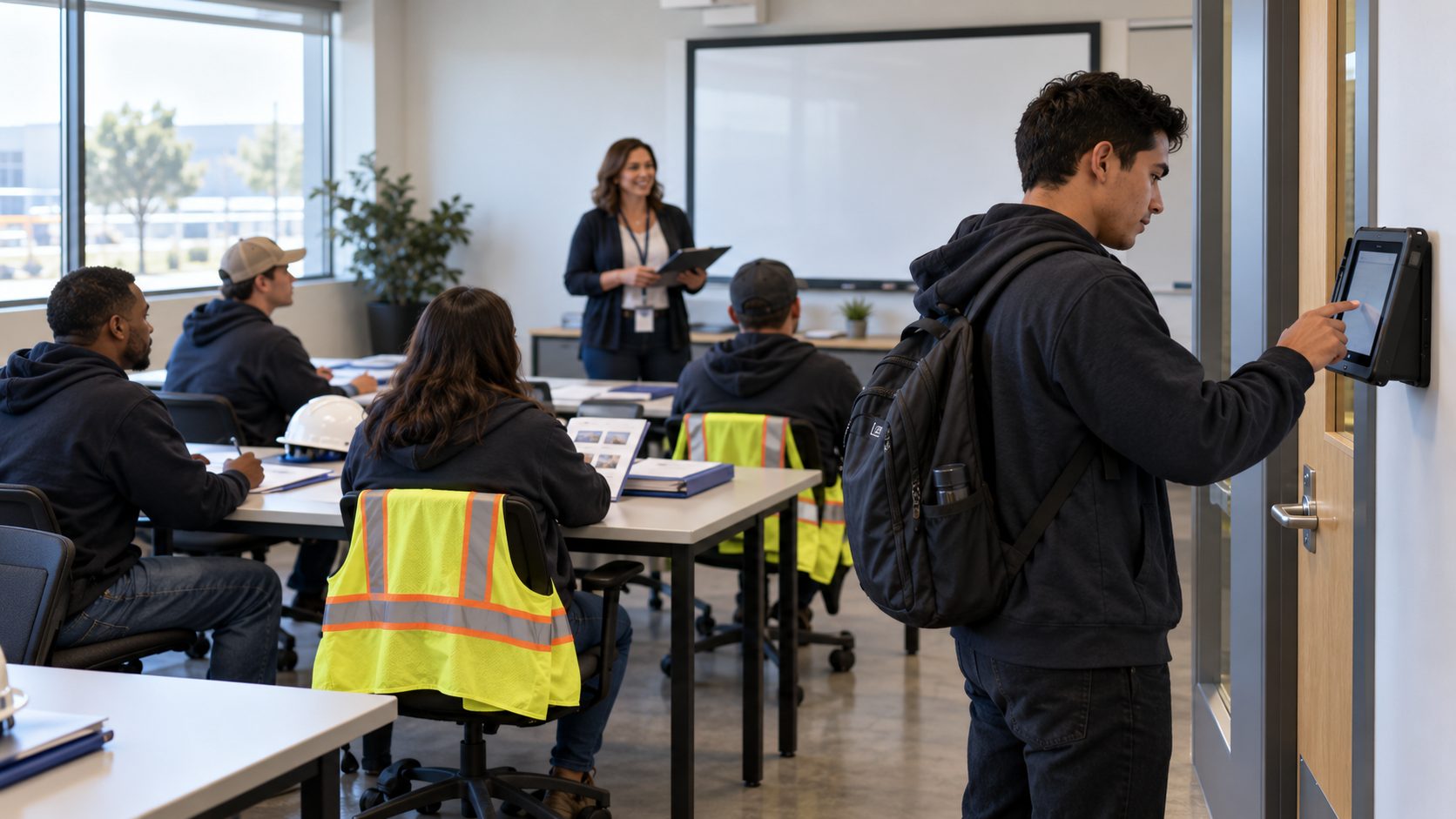
Count crews work overnight in stores their employer doesn't own, so hours often start on a clipboard. See how a portable tablet clock tags every punch to the store and client, works offline and sends clean hours to your HR system.


TL;DR
- Count crews lose hours when start and end times go on paper at a store you don't control.
- A portable tablet clock records every punch at the client store, tagged to that store and client.
- Geofencing and offline capture keep punches accurate even when the store has no usable network.
- Location-tagged hours reach your HR system without retyping, so pay and client billing match.
Table of Contents
- Why Overnight Count Crews Are Hard to Keep on the Clock
- How Inventory Count Crew Time Tracking Works at Client Stores
- What CloudApper AI TimeClock Brings to Overnight Count Teams
- Keeping Every Overnight Count on the Clock
Physical inventory count crews often work overnight inside client stores where their employer has no time clock, so the first record of a shift is usually a supervisor’s handwritten sheet. Those times get typed into payroll days later, and every misread number turns into a pay correction or a billing dispute with the client. Inventory count crew time tracking works better when the clock travels with the team. The supervisor brings a tablet to each count, the crew punches in on arrival, and every punch is tagged to the store and the client before it reaches payroll. CloudApper AI TimeClock does this on standard tablets and is compatible with Workday, UKG, Oracle and Dayforce, so the hours land in the HR system you already run.
Why Overnight Count Crews Are Hard to Keep on the Clock
A typical count starts after the store closes. Anywhere from eight to forty counters arrive, the supervisor assigns sections, and scanning runs until morning. You can’t mount a terminal on a wall you don’t own, and clients rarely let outside crews on their network, so start and end times go on a clipboard. Payroll enters them later, and the gaps show up as missed punches that someone has to chase after the pay period closes.

The crew also changes location almost every night. Some teams meet at a pickup point and ride to the store together, others drive straight in, and new counters join every few weeks. Most employee time tracking setups assume a fixed site and a steady team, which is the opposite of how a count crew works.
The costs add up quietly. Overnight premiums land on the wrong hours, travel time is hard to prove, and when a client questions an invoice, a paper sheet is weak evidence. With high-turnover crews, the same mistakes repeat every time a new counter starts.
How Inventory Count Crew Time Tracking Works at Client Stores
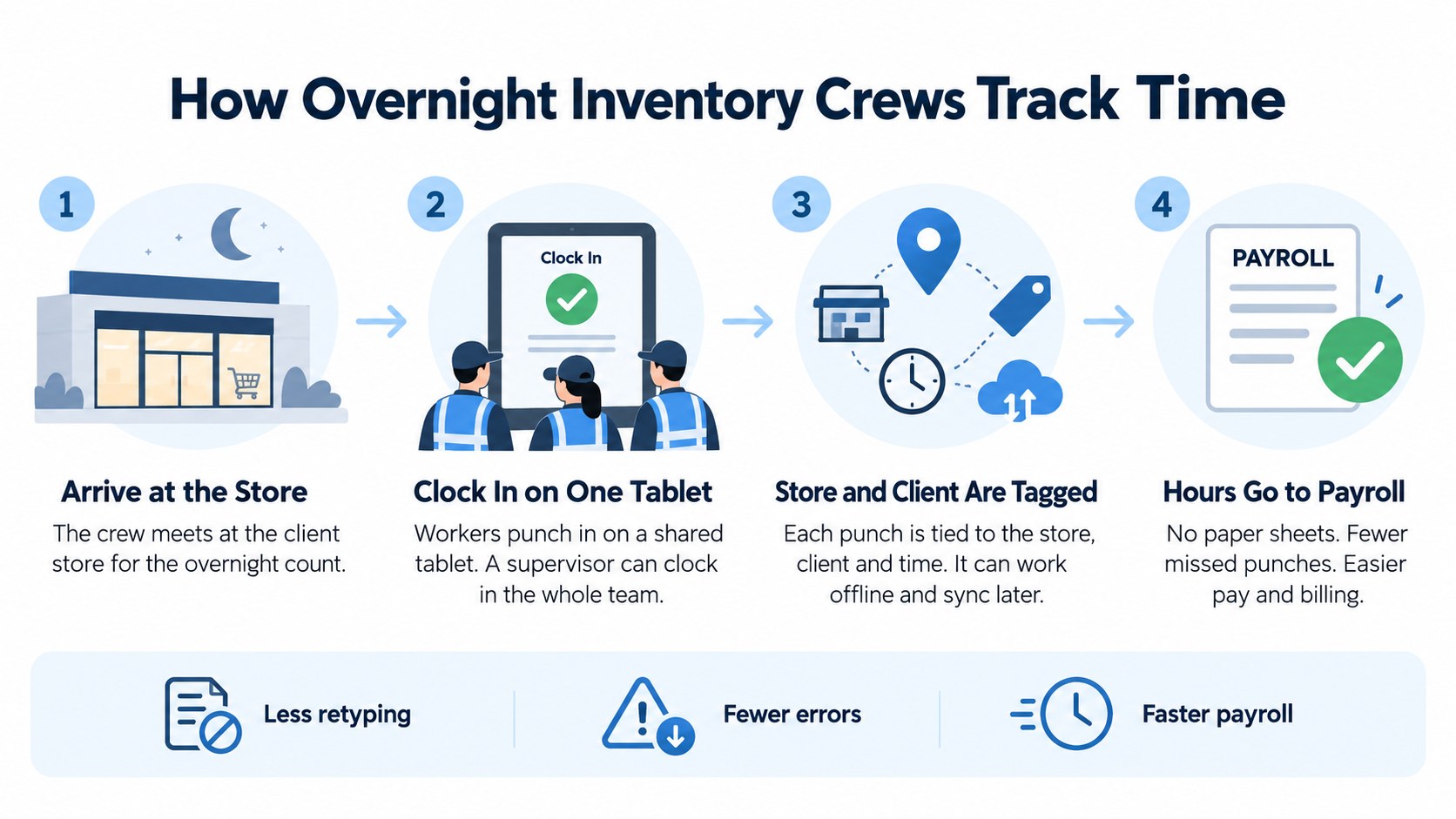
The fix starts with putting the clock in the supervisor’s kit. When the crew arrives, each counter punches in on the tablet, or the supervisor uses group clock-ins to start the whole team at once. The tablet records the store, the client and the exact time, so nobody has to rebuild the night from memory.
Retailers aren’t counting less, either. The average retail shrink rate rose to 1.6% in FY 2022, about $112.1 billion in losses, according to the NRF’s National Retail Security Survey. Losses at that level keep physical counts on the calendar, which means more crews, more stores and more hours to get right.
The setup holds up at scale because nothing depends on one building. A counter’s profile works at any store, geofencing confirms each punch came from the client’s address, and punches save on the tablet without Wi-Fi and sync once a connection returns. Growing into a new region means adding tablets, not installing hardware.
Inventory management providers that count for retail chains, grocers and pharmacies get the most from it. The same approach fits warehouse and distribution counts, in-house audit teams at large retailers and year-end counts at manufacturers. Any business that needs a multi-site time clock for crews moving between locations is dealing with the same problem.
What CloudApper AI TimeClock Brings to Overnight Count Teams
CloudApper AI TimeClock is time tracking software that turns a standard tablet into a full time clock. Counters sign in with Face ID, a QR code or a PIN, so a large crew can clear the line at shift start in a few minutes. Every punch carries the store and client, and a built-in AI assistant answers counters’ questions about their hours and schedules on the same screen.
It runs on iPads and Android tablets, which matters when the job site changes every night. One tablet per supervisor kit replaces fixed hardware at stores you’ll never own, and CloudApper estimates hardware savings of up to 60% compared with traditional time clocks. In practice it’s a tablet that travels with the crew, set up and ready at tonight’s store.
Payroll and billing feel the difference first. Hours arrive tagged by store and client, subcontracted counters can punch on the same tablet, and the clock routes every punch to the right record instead of leaving it on a clipboard.
Keeping Every Overnight Count on the Clock
Count crews fall off the clock because they work at night, in stores their employer doesn’t own, at a new address almost every shift. Reliable inventory count crew time tracking starts with a portable tablet clock at the store where the work happens. Crews punch in on arrival, geofencing and offline capture keep the record accurate, and the setup scales across regions for inventory management providers, retailers, warehouses and manufacturers. CloudApper AI TimeClock adds Face ID, QR code and PIN sign-in on iPads and Android tablets, so you never buy hardware for a new site you’ll leave by morning, and it sends location-tagged hours to Workday, UKG, Oracle or Dayforce.
If your crews still start the night on a clipboard, book a demo to see how a full count runs on one tablet.
Frequently Asked Questions
How do count crews clock in at a store the company doesn’t own?
The supervisor brings a tablet to the count, and each counter signs in on that shared tablet with Face ID, a QR code or a PIN. Geofencing confirms the punch came from the client’s store.
What happens if the client store has no internet during the count?
The tablet saves every punch locally and syncs it when a connection returns. Offline capture is one of the first features to check when you compare the best employee time clock software.
Can punches be tagged to the store and client for billing?
Yes. Each punch carries the store and client, the same way job transfers are tagged during a shift, so payroll and billing work from the same hours.
Do counters need their own phones to clock in?
No. Counters punch on the supervisor’s tablet, so nobody has to install an app or rely on personal phones at the client’s store.

What is CloudApper AI Platform?
CloudApper AI is an advanced platform that enables organizations to integrate AI into their existing enterprise systems effortlessly, without the need for technical expertise, costly development, or upgrading the underlying infrastructure. By transforming legacy systems into AI-capable solutions, CloudApper allows companies to harness the power of Generative AI quickly and efficiently. This approach has been successfully implemented with leading systems like UKG, Workday, Oracle, Paradox, Amazon AWS Bedrock and can be applied across various industries, helping businesses enhance productivity, automate processes, and gain deeper insights without the usual complexities. With CloudApper AI, you can start experiencing the transformative benefits of AI today. Learn More
- Useful Links:
- Agentic AI
- No-Code/Low-Code
- Custom Software
- HCM Personalization
- iPaaS
- FedRAMP

Brochure
CloudApper AI TimeClock
For accurate & touchless time capture experience.
Download Brochure
CloudApper AI Solutions for HR



- Works with








- and more.
Similar Posts
No Cell Phones on the Production Floor: How Hourly Workers…
In-Vehicle Time Clocks for Crews Who Rotate Trucks: Clocking In…