- The Scale of the Access Gap
- What Workday’s Native Open Enrollment Does Well
- Where the Completion Problem Actually Lives
- What HR Teams Can Do Within Workday
- Where Native Tools Run Out: The Frontline Access Problem
- How CloudApper hrPad Addresses the Frontline Gap
- Frequently Asked Questions
- What to Do Next
Every year, HR teams spend weeks configuring Workday’s open enrollment, setting up benefit plans, loading rates, updating pay period schedules, and testing election workflows — only to reach the enrollment deadline and find a significant portion of employees never completed the process.
Some of those employees actively chose not to change anything, which is fine. But many others meant to complete enrollment, got interrupted, found the process confusing, or simply never saw the notification. The result for them is defaulted coverage — or worse, a gap in coverage they don’t discover until January when they need it.

Low enrollment completion isn’t a Workday problem specifically. It’s a workflow and access problem. Workday’s benefits enrollment is designed for employees who have a company email address, regular desktop access, and time during the workday to navigate a multi-step portal. A significant share of the workforce doesn’t fit that profile.
This article covers why Workday open enrollment completion falls short for certain employee populations, what HR teams can do about it within native Workday, and where those tools run out.
The Scale of the Access Gap
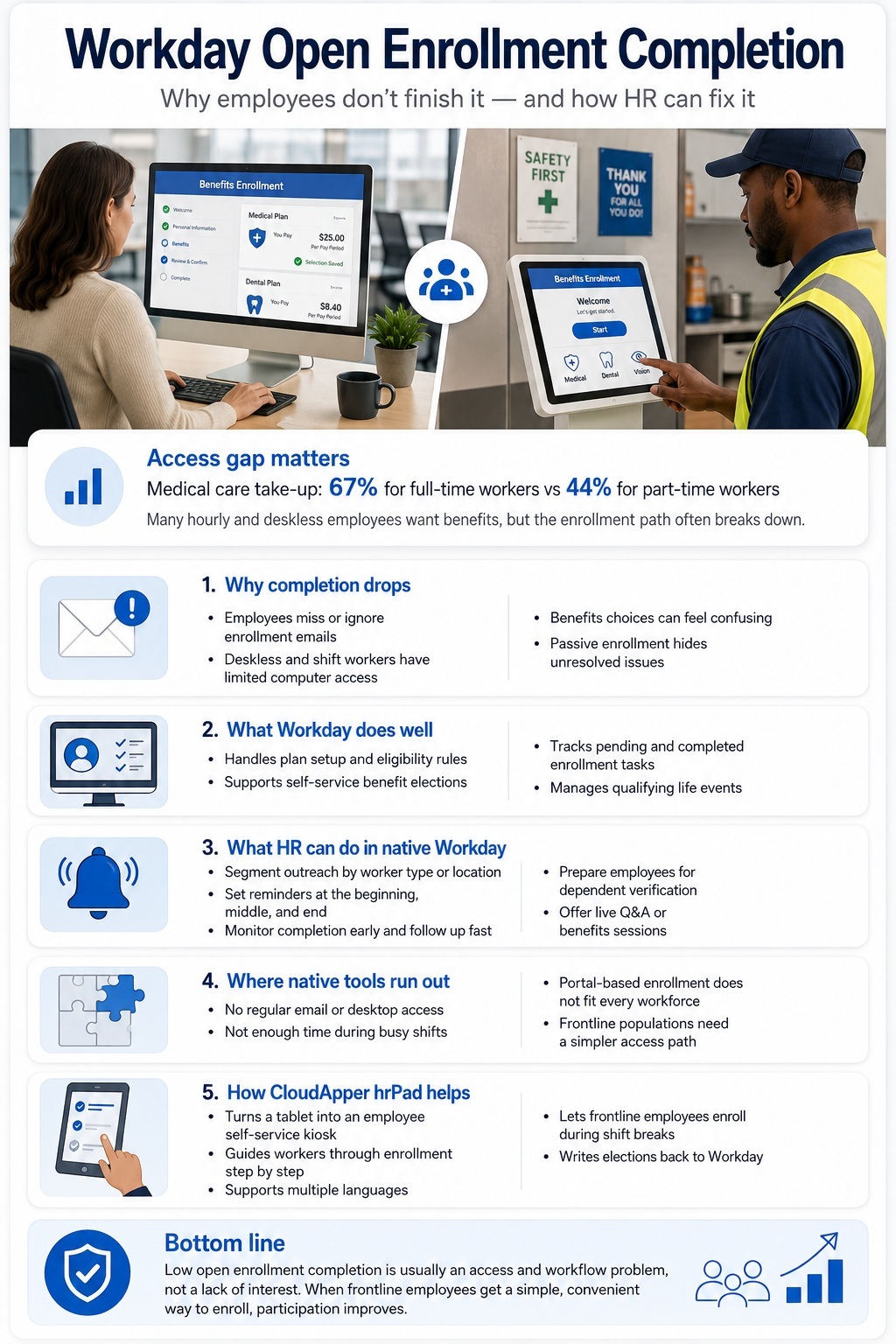
Benefits participation rates vary significantly by worker type. According to the U.S. Bureau of Labor Statistics, the medical care take-up rate is 67 percent for full-time workers — but drops to 44 percent for part-time workers, a group that disproportionately includes hourly, frontline, and shift-based employees.
The gap isn’t primarily about cost or interest. Research from Shiftboard found that more than half of all hourly employees surveyed said they would take a pay cut in order to gain health benefits — suggesting the desire is there but the path to enrollment isn’t working.
In frontline-heavy industries, open enrollment has a reach problem. Retail associates, shift workers, and deskless employees don’t live in email and often work around the “attend the benefits session at 2pm Thursday” model. Companies that use a desk-oriented enrollment model for frontline workforces consistently see under-enrollment and confused elections.
Workday’s notification model is email-based. Employees receive a task in their Workday inbox, triggered by the open enrollment launch. For employees who access Workday regularly from a work computer, this works. For employees who don’t have a company email, don’t access Workday outside HR onboarding, or work rotating shifts where they’re rarely near a computer during business hours, the task sits unseen until the window closes.
What Workday’s Native Open Enrollment Does Well
Before getting into the gaps, it’s worth being clear about what Workday’s enrollment experience does handle effectively.
Plan configuration and eligibility rules: Workday handles complex eligibility logic well — benefit plan eligibility by worker type, location, hours threshold, employment status, and more. For organizations with multiple employee populations on different benefit packages, Workday’s configuration capabilities are genuinely strong.
Self-service election flow: For employees who access it, the Workday enrollment interface is reasonably clear. Employees can compare plans, update dependents, and submit elections without HR involvement. Workday HCM automates eligibility calculations, life-event updates, and plan elections, and employees can review and elect benefits from any device. HR and payroll teams can monitor enrollment progress live, spotting potential issues before they escalate.
Progress tracking: HR administrators can see which employees have completed enrollment, which have pending tasks, and which haven’t started. This is useful for targeted follow-up outreach during the enrollment window.
Qualifying life event handling: Workday manages mid-year changes from qualifying life events (marriage, new dependent, change in spouse’s coverage) within the same benefits framework, which simplifies administration significantly.
Where the Completion Problem Actually Lives
If employees have Workday access and see the task, most of them complete enrollment. The problem is the gap between “task exists in Workday” and “employee sees and acts on it.”
Employees without company email addresses: Workday’s enrollment notifications go to whatever email address is on the worker’s profile. For hourly employees who were set up with a personal email during onboarding, those notifications go to an inbox they may not check regularly. For employees set up with a company email they don’t actively use, same result.
Shift workers with limited computer access: A line worker on a 6am–2pm shift doesn’t have a natural opportunity to sit at a computer and navigate a multi-step enrollment portal during the enrollment window. By the time they think about it, the window has closed or they’re too fatigued to get through it.
Enrollment complexity for non-office workers: The Workday enrollment flow assumes a degree of benefits literacy — understanding plan types, deductibles, HSA contribution limits, dependent verification requirements. Office employees often have coworkers or managers to ask. Frontline workers, especially those in environments with high turnover, often don’t.
Passive enrollment and defaults: Workday allows passive enrollment — employees who don’t act keep their prior year’s elections, with some exceptions (FSA enrollments must be renewed annually, for example). This protects employees from coverage gaps but masks the completion problem. An employee defaulted into a prior-year plan they meant to change is technically “enrolled” but the enrollment process didn’t serve them.
What HR Teams Can Do Within Workday
There are several configuration and process levers available before reaching for external tools.
Segment your workforce for targeted outreach: Workday’s enrollment progress reports let you filter by department, location, cost center, or worker type. If your frontline operations workforce has a consistently lower completion rate than your office population, that’s where to concentrate follow-up. HR Business Partners in those areas can do in-person reminders far more effectively than a third reminder email.
Configure reminders at the right frequency: Workday allows automated reminder notifications to employees with pending enrollment tasks. Setting these up at the beginning, midpoint, and final days of the window — rather than relying on employees to remember — meaningfully improves completion for employees who do check their email.
Use the enrollment dashboard proactively: The real-time tracking Workday provides isn’t just for post-enrollment reporting. Checking completion by population early in the window (say, at the halfway point) gives HR time to intervene with targeted outreach before the deadline.
Simplify dependent verification prep: A consistent friction point is dependent verification — employees who want to add a new dependent discover during enrollment that they need to submit documentation, which requires a separate step and often a 24–48 hour review. Organizations that communicate this requirement clearly before open enrollment starts — recommending employees initiate the dependent addition process in advance — substantially reduce last-minute completion failures caused by this bottleneck.
Consider hosted information sessions: Benefits fairs and Q&A sessions — whether in person for frontline workers or virtual for remote/hybrid employees — give employees a supported environment to complete enrollment with questions answered in real time. These work especially well for populations new to the benefits options or facing a plan change.
Where Native Tools Run Out: The Frontline Access Problem
The levers above help. But they all assume employees have access to Workday and a channel to receive communications. For genuinely deskless employees — warehouse workers, manufacturing floor staff, retail associates, healthcare aides — that assumption often doesn’t hold.
The formats that work for frontline workers are short-form video pushed to a mobile app, decision-support tools that work on a phone in under five minutes, and enrollment that doesn’t require a laptop and manager-enabled enrollment assistance during shift breaks.
This is where a physical access point — a shared kiosk or tablet station on the floor — addresses the problem more directly than any communication strategy. Employees who can complete enrollment during a shift break, with a guided interface that walks them through plan selection in plain language, complete at higher rates than those who have to remember to do it at home.
How CloudApper hrPad Addresses the Frontline Gap
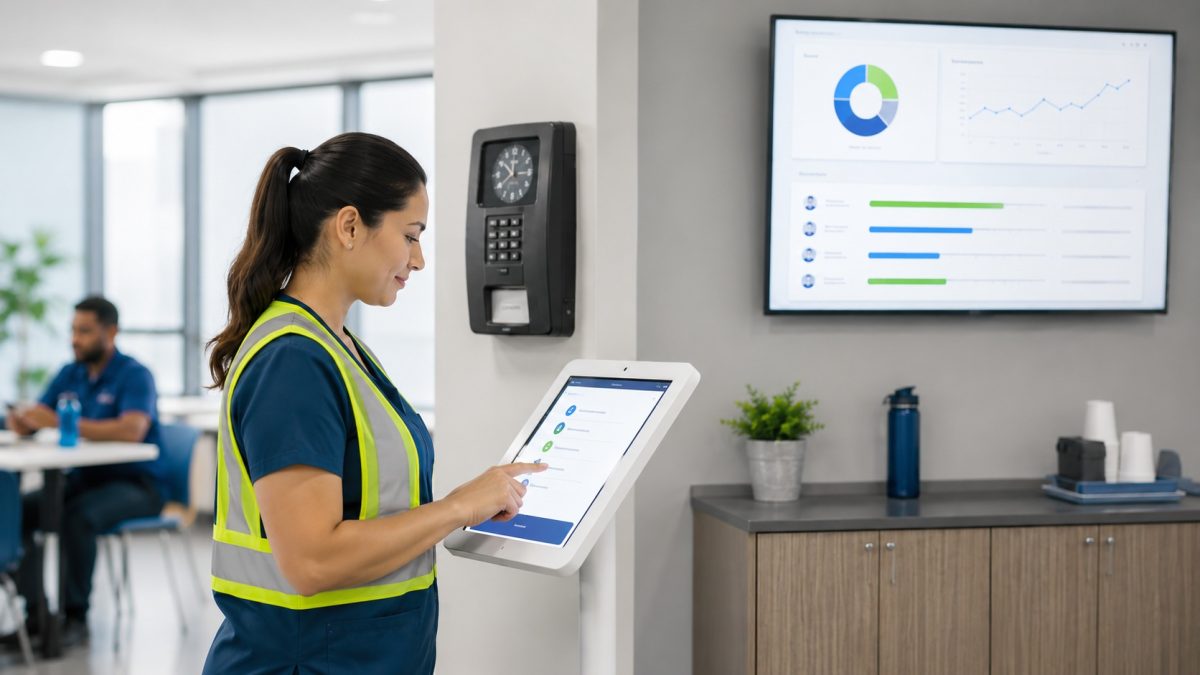
CloudApper hrPad turns an iPad or tablet into an HR self-service kiosk that connects directly to Workday. For open enrollment specifically, it gives frontline employees a physical access point — placed in a break room, locker room, or near a time clock station — where they can complete their elections during a shift without needing a personal device or a company computer.
The hrPad interface is designed for workers who aren’t regularly using Workday. It surfaces the open enrollment task in a simplified format, walks employees through plan selection step by step, and lets them ask plain-language questions about their options — without calling HR or navigating the full Workday portal.
For HR administrators, hrPad still writes back to Workday. Elections made at the kiosk are captured in Workday’s benefits enrollment the same way as elections made through the standard portal. There’s no separate system to reconcile.
A few practical applications where this matters:
- A manufacturing facility where 400 hourly workers share two computers in a break room. Setting up two hrPad kiosks with the enrollment workflow during the four-week window gave employees a dedicated, supported path to complete their elections without competing for computer time.
- A healthcare organization with nursing staff on rotating 12-hour shifts. Placing hrPad units near nursing stations allowed staff to complete enrollment between patient rounds, during shifts when a computer visit to HR wouldn’t be realistic.
- A retail chain where store associates had personal emails on file but consistently low email open rates. Kiosk placement at the store level, with manager prompts during huddles, brought enrollment completion for that population up substantially compared to prior years.
hrPad isn’t a replacement for Workday’s enrollment workflow — it’s a delivery channel for employees who can’t reach Workday through the standard path.
Frequently Asked Questions
Why do so many employees not complete Workday open enrollment?
The most common reasons are access barriers (no company computer, no regular email access), complexity (confusion about plan options, dependent verification requirements), and timing (shift schedules that don’t leave time for portal navigation during the enrollment window). Communication issues — employees who simply miss the notification — are also common in frontline-heavy workforces.
Can Workday send open enrollment reminders automatically?
Yes. Workday’s open enrollment configuration includes automated reminder notifications for employees with pending tasks. These can be configured at intervals throughout the enrollment window. However, reminders only reach employees who actively check the email address on their Workday profile.
What happens if an employee misses Workday open enrollment?
In most cases, employees who don’t complete enrollment during the window are passively enrolled — they keep their prior year’s benefit elections. Exceptions include FSA/DCAP enrollments, which must be renewed annually, and any plans that are being discontinued. Employees who miss enrollment and want different coverage typically have to wait until the next open enrollment period or a qualifying life event.
How can HR increase open enrollment participation for hourly workers?
The most effective levers are physical access points (kiosks or tablets at the work location), in-person or shift-based outreach by managers, simplified enrollment interfaces that don’t require full Workday familiarity, and targeted reminder campaigns to populations with historically low completion rates. Email-only communication campaigns have limited effectiveness for employees without regular email access.
Does CloudApper hrPad replace Workday’s open enrollment?
No. hrPad is a front-end access layer that connects to Workday. Employees complete enrollment through hrPad, but their elections are captured in Workday just as they would be through the standard portal. It addresses the access and usability problem for frontline employees without replacing Workday’s underlying benefits administration.
Can hrPad support multiple languages for open enrollment?
Yes. For organizations with multilingual workforces — a common situation in manufacturing, healthcare, and hospitality — hrPad can surface the enrollment flow in the employee’s preferred language, which further reduces the friction that leads to incomplete enrollment.
What to Do Next
If your open enrollment completion rates by location or worker type tell a different story than your overall numbers — which they almost always do — that gap is worth understanding before the next enrollment window opens.
Auditing completion by worker type and shift pattern usually surfaces where the access problem is concentrated. From there, the intervention is usually simpler than it looks: a physical access point where employees already spend time during their shifts, combined with a supported enrollment path that doesn’t require Workday familiarity.
If you’d like to discuss your specific workforce setup and what a frontline enrollment access strategy might look like, the CloudApper team is available here.

What is CloudApper AI Platform?
CloudApper AI is an advanced platform that enables organizations to integrate AI into their existing enterprise systems effortlessly, without the need for technical expertise, costly development, or upgrading the underlying infrastructure. By transforming legacy systems into AI-capable solutions, CloudApper allows companies to harness the power of Generative AI quickly and efficiently. This approach has been successfully implemented with leading systems like UKG, Workday, Oracle, Paradox, Amazon AWS Bedrock and can be applied across various industries, helping businesses enhance productivity, automate processes, and gain deeper insights without the usual complexities. With CloudApper AI, you can start experiencing the transformative benefits of AI today. Learn More
- Useful Links:
- Agentic AI
- No-Code/Low-Code
- Custom Software
- HCM Personalization
- iPaaS
- FedRAMP